
Triage and resolve findings
Open Findings to search and filter the organization’s results. The preview drawer supports quick triage; the full detail page provides a link you can share with another authorized member.
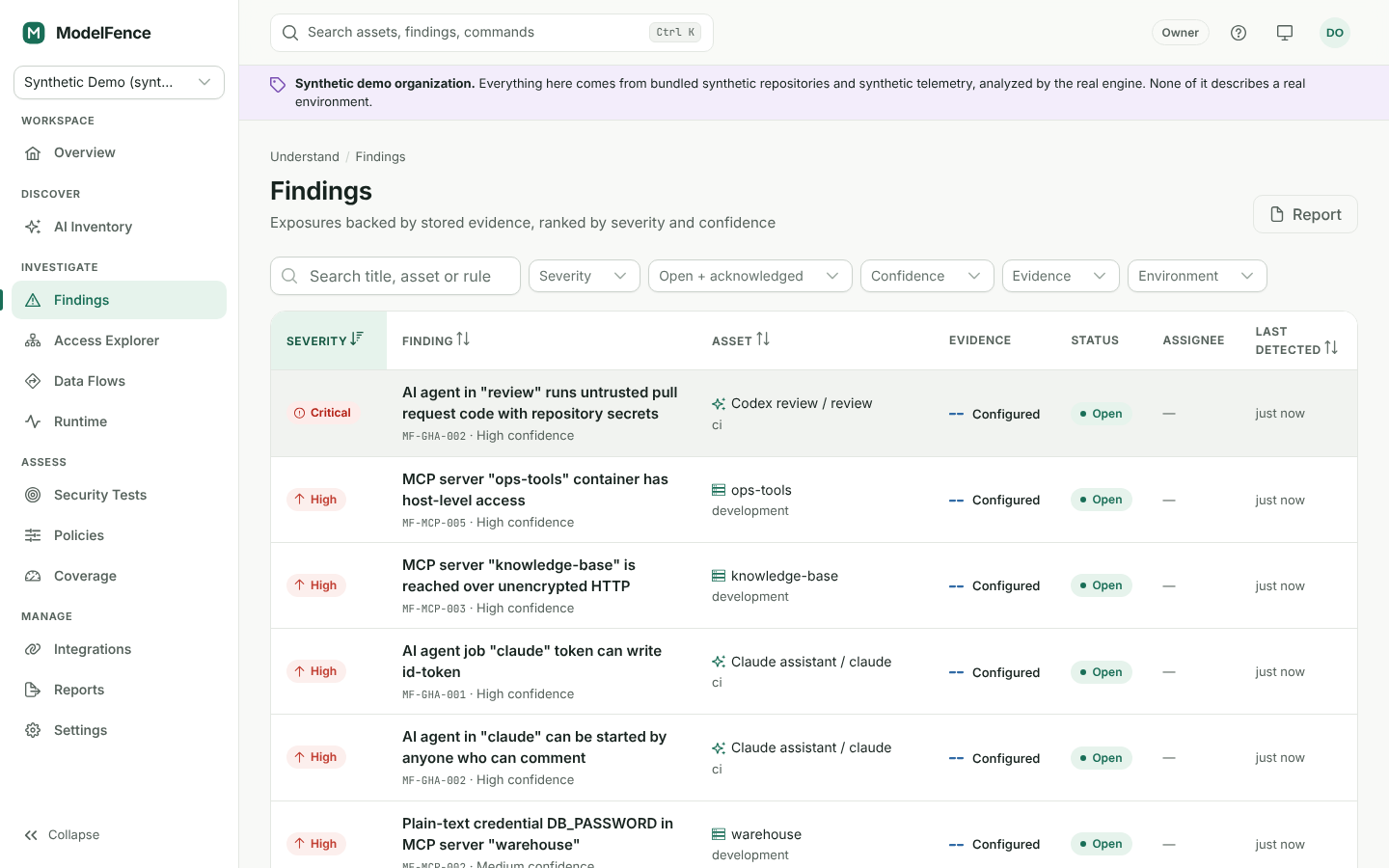
Synthetic demo data, shown for orientation. Your organization’s findings depend on its connected sources and scans.
Read the finding before acting
Section titled “Read the finding before acting”Check the rule ID and version, affected asset, environment, first and last detection time, severity, confidence and evidence state. Open the evidence to identify the exact configuration or runtime event. Read any source or assessment gaps that weaken the conclusion.
Severity is not a measure of exploitation certainty. An Inferred high-severity relationship still needs investigation. A Configured credential-like value requires source review even when redaction hides its literal contents.
Workflow states
Section titled “Workflow states”| State | Meaning |
|---|---|
| Open | The condition needs a decision or remediation. |
| Acknowledged | A member has recognized it; work may still be outstanding. |
| Risk accepted | An authorized member recorded a reason and an expiry. The condition may remain present. |
| Resolved | The team marked the issue resolved. Check the subsequent evidence. |
| No longer detected | A complete source scan did not detect the prior condition. |
Assign and remediate
Section titled “Assign and remediate”An Analyst or higher can acknowledge, resolve and reopen findings and assign them to eligible members. Change the actual repository, identity policy or endpoint configuration in its source system; ModelFence does not apply infrastructure or repository remediations for you.
For example, for an unpinned MCP package: choose an approved version or digest, update the source configuration, rerun discovery and confirm the new evidence reflects that pin. A pin alone does not establish that the package itself is safe.
Accept risk deliberately
Section titled “Accept risk deliberately”Admin or Owner is required to accept risk. Provide a specific reason and an expiration date. Record compensating controls and an owner where your process requires them. Acceptance is a time-bounded decision, not suppression of the source condition.
Verify and reopen
Section titled “Verify and reopen”Run the relevant assessment or sync the source after a change. Partial scans do not automatically close findings for repositories they did not completely evaluate. Recurring conditions can reopen through correlation. Use Reopen when a resolved or accepted result needs renewed attention.
Filters are represented in the URL, making a filtered view shareable. The recipient still needs membership and the relevant role. For offline review, export a findings report with source provenance.